
Connect CowAgent to your personal WeChat — scan to log in, no public IP required. Supports text, image, voice, file, and video messages in 1-on-1 chats. Backed by WeChat’s official API; safe to use. After connecting, a bot assistant is added to your conversation list without affecting normal account usage.
1. Setup and run
Option A: Web console
Start CowAgent and open the Web console (local URL: http://127.0.0.1:9899/). Go to the Channels tab, click Connect Channel, select WeChat, and follow the prompts to scan in.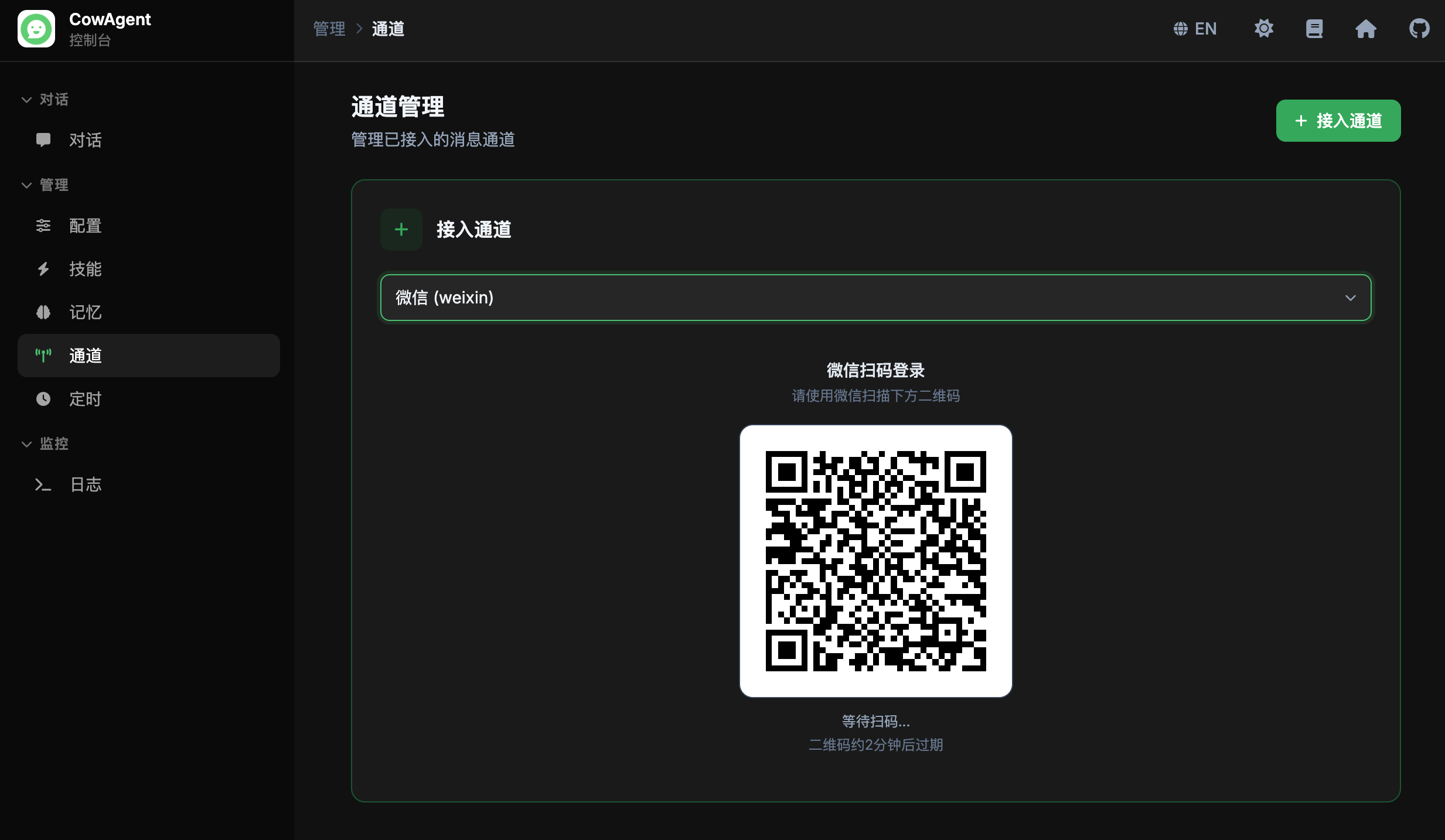
Option B: Config file
Setchannel_type to weixin in config.json:
- For backward compatibility, setting
channel_typetowxalso activates the WeChat channel. - The WeChat client must be on version 8.0.69 or higher.
2. Usage
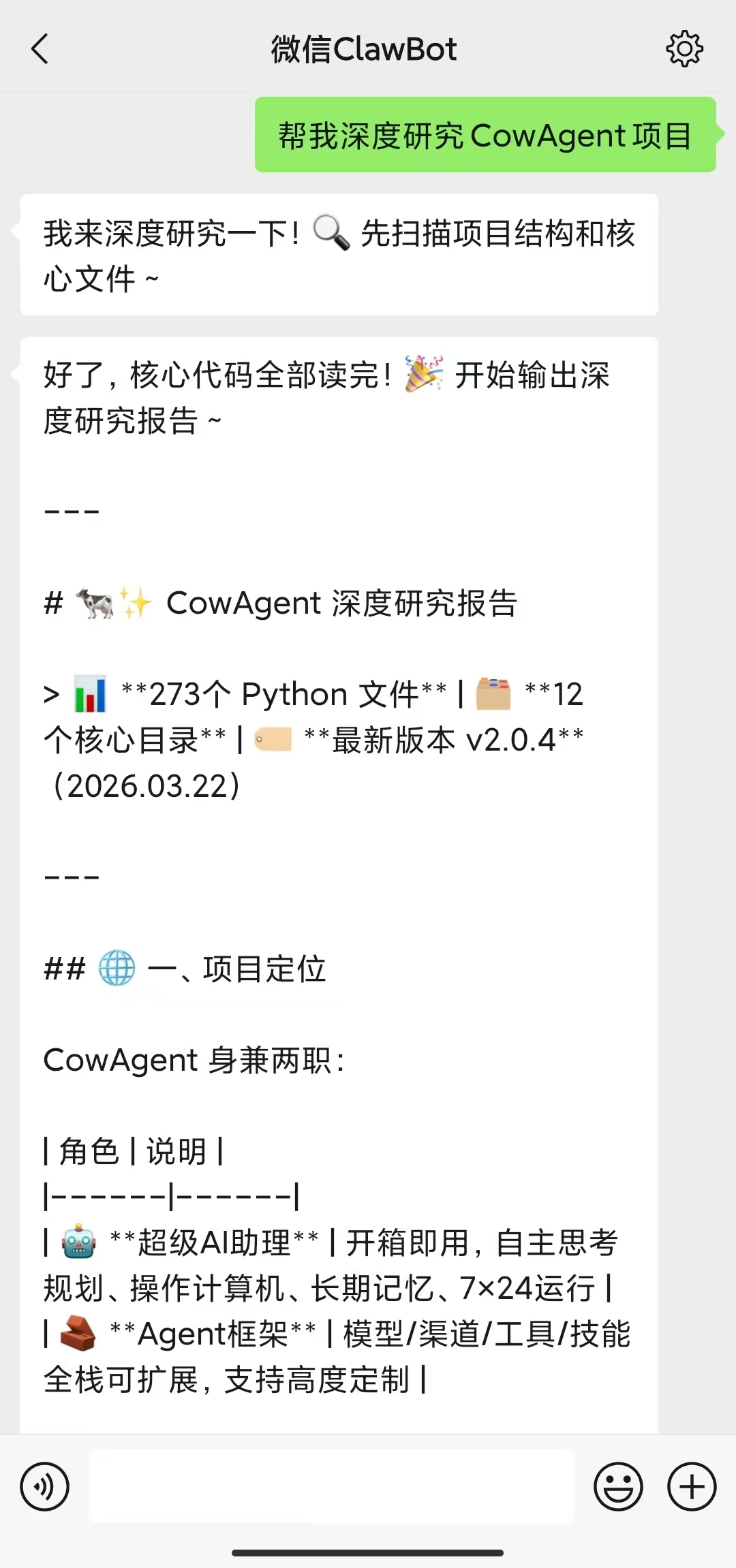
Once authorized, the integration completes and you can start chatting. A bot assistant is created in your WeChat conversation list, leaving normal account usage unaffected.You can find the bot at any time by searching for “微信ClawBot”. You may also rename it, change its avatar, pin it to the top of your conversation list, and so on.
3. Login
QR code login
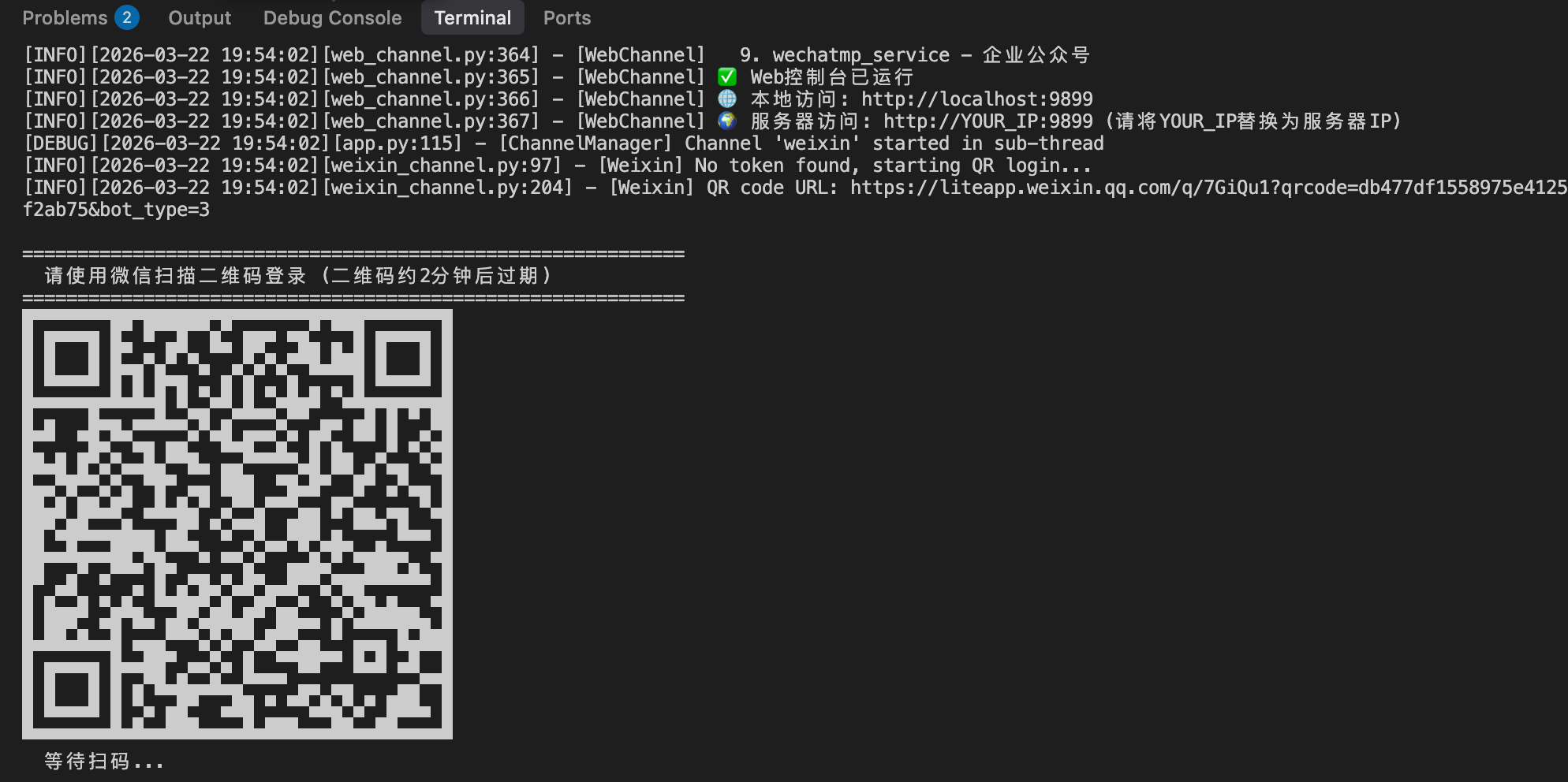
On first startup, a QR code appears in the terminal (valid for around 2 minutes). Scan it with WeChat and confirm on your phone to log in.- The QR code refreshes automatically when it expires
- The
qrcodedependency is already included inrequirements.txt, so the QR code renders directly in the terminal after install
Credential persistence
After a successful login, credentials are saved to~/.weixin_cow_credentials.json. Subsequent startups reuse the saved credentials with no need to re-scan.
To force a re-login, delete the credentials file and restart.
Session expiry
When the WeChat session expires (errcode-14), CowAgent automatically clears old credentials and initiates a new QR login — no manual intervention required.
4. Supported features
| Feature | Status |
|---|---|
| Direct messages | ✅ |
| Text messages | ✅ Send & Receive |
| Image messages | ✅ Send & Receive |
| File messages | ✅ Send & Receive |
| Video messages | ✅ Send & Receive |
| Voice messages | ✅ Receive (built-in speech recognition) |